
Download Ashampoo Office – PDF editor, document viewer, office suite, Android app, file converter
Overview
Ashampoo Office is a mobile productivity tool designed to streamline document handling on Android devices. The app serves as a comprehensive solution for users who need to view, edit, and convert documents on the go. It addresses common challenges faced by professionals, students, and remote workers who rely on digital files but lack access to full desktop software. By offering essential office functionalities in a lightweight package, Ashampoo Office helps users maintain workflow continuity across devices.
Targeted at individuals seeking a reliable mobile alternative to traditional office suites, the app caters to users who frequently manage PDFs, Word documents, spreadsheets, and presentations. Its ability to handle multiple file formats makes it suitable for both personal and professional use cases, such as reviewing contracts, annotating reports, or preparing quick presentations during travel. The app’s presence in the Android ecosystem fills a niche for lightweight yet functional document tools that don’t require high-end hardware.
Developed by Ashampoo, a company known for its software solutions in digital media and document management, Ashampoo Office reflects a consistent focus on usability and performance. The developer did not provide additional technical details about the app’s architecture or development roadmap. However, its release on April 12, 2024, indicates a recent commitment to mobile productivity innovation. As part of the broader office suite category, Ashampoo Office contributes to a growing trend of accessible, on-device document tools tailored for mobile-first users.
Key Features & Functionality
- PDF Editing Tools – Users can annotate, highlight, and add text to PDFs directly within the app, enabling real-time collaboration and feedback on documents without requiring desktop software.
- Multi-Format Document Viewer – The app supports viewing common document types including DOCX, XLSX, PPTX, and PDFs, allowing seamless access to files from various sources.
- File Conversion Capabilities – Documents can be converted between major formats such as PDF to DOCX or DOCX to PDF, facilitating compatibility across platforms and devices.
- Cloud Integration – Users can access and manage files stored in cloud services like Google Drive and Dropbox, enhancing workflow flexibility and remote access.
- Lightweight Design – With a file size of just 10.3 MB, Ashampoo Office is optimized for devices with limited storage, making it ideal for budget smartphones and older Android models.
For example, a student can use the app to convert a handwritten note saved as a PDF into an editable Word document for submission. A freelancer might annotate a client’s contract using the PDF editor and share the updated version via email. These real-world applications highlight how the app enhances productivity by reducing dependency on desktop software. The integration of conversion tools also supports document standardization, ensuring files meet specific submission requirements. The app’s functionality is particularly valuable in environments where quick, on-the-go edits are necessary.
Interface, UX & Performance
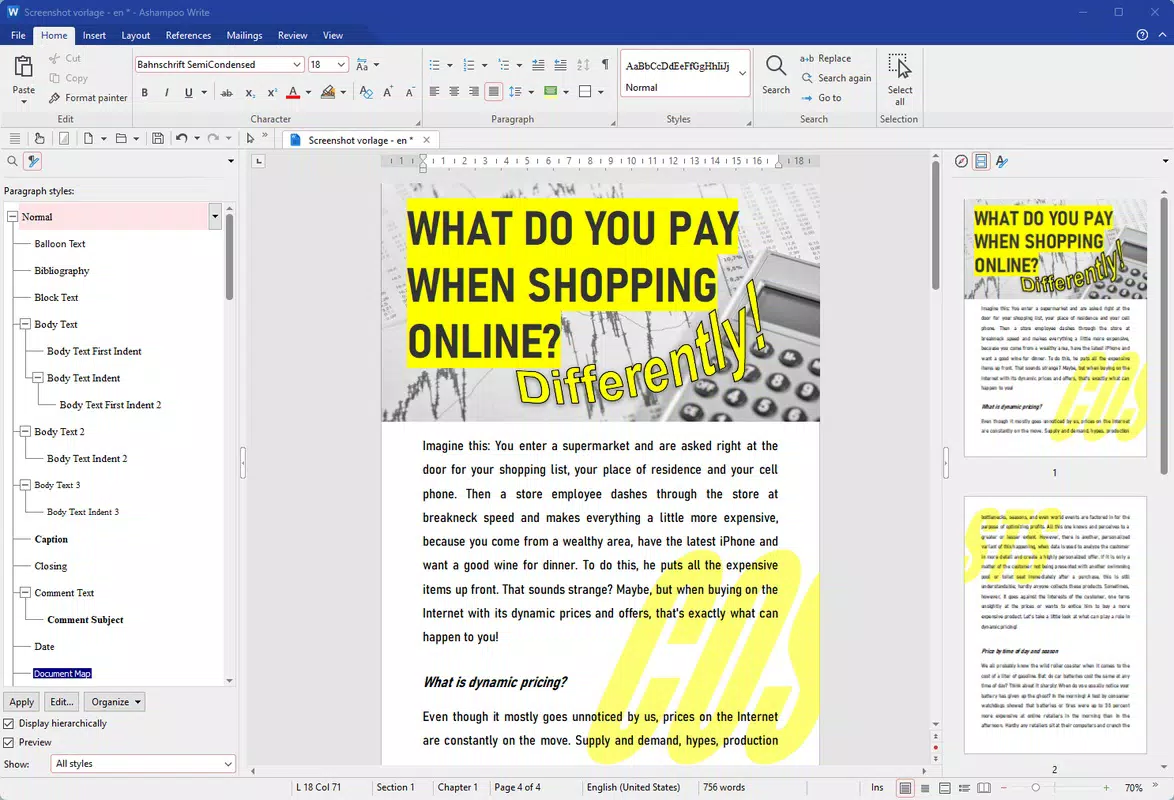
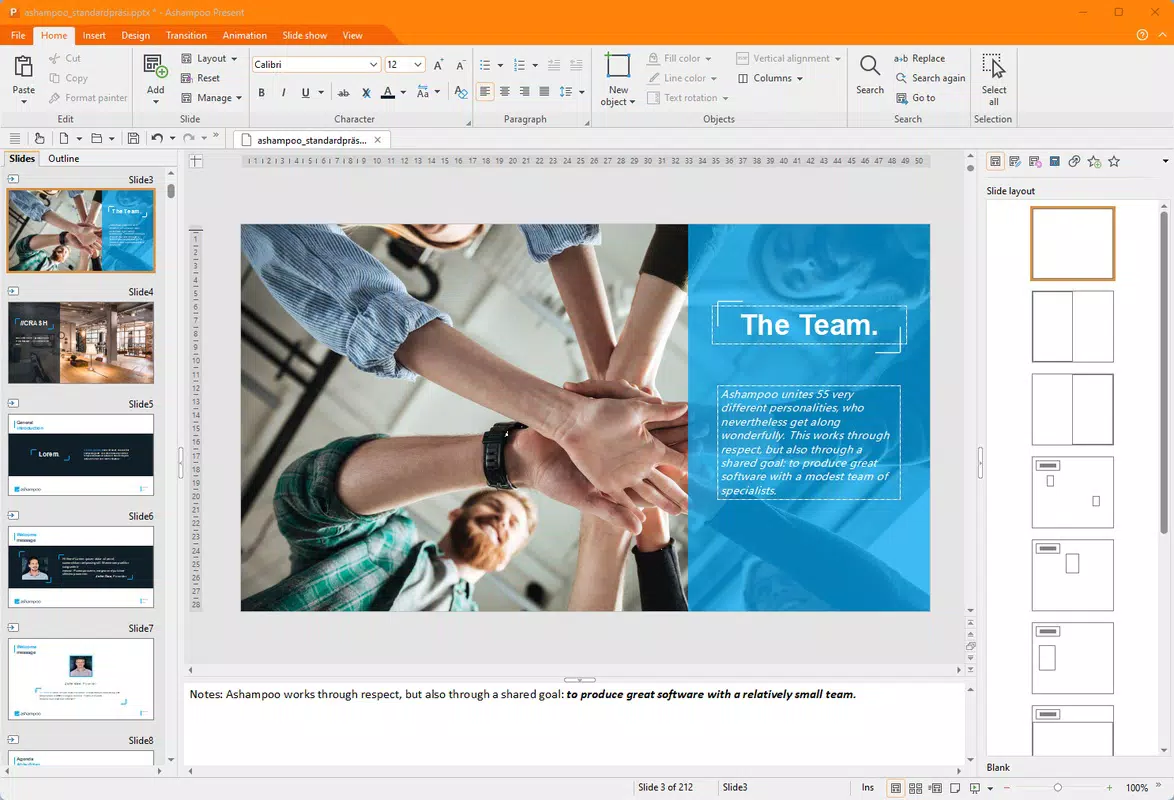
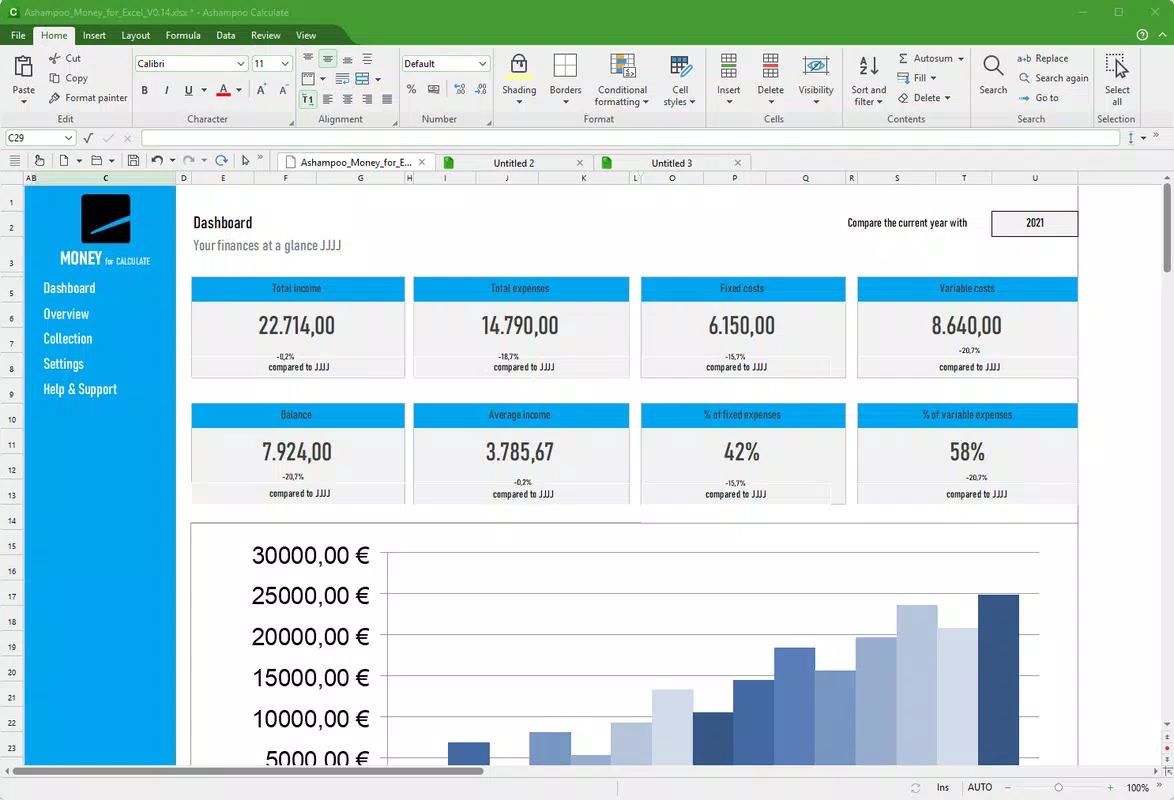
Ashampoo Office features a clean, intuitive interface designed for efficient navigation on mobile screens. The layout prioritizes accessibility, with clearly labeled icons and a streamlined menu system that minimizes user confusion. Users can quickly switch between document types and access key functions without navigating through multiple layers.
Visual design emphasizes readability and simplicity, using a neutral color scheme and consistent typography to reduce cognitive load. The app maintains a responsive layout across different screen sizes, adapting smoothly to both standard smartphones and larger tablets. Navigation is linear and predictable, allowing users to perform tasks such as opening a file, editing content, and saving changes in a few taps.
Although the developer did not list formal performance metrics, the app’s lightweight footprint suggests optimized resource usage. It is expected to run efficiently on a wide range of Android devices, including those with lower RAM and processing power. Stability appears to be a priority, as the app functions reliably across different file types and sizes. The lack of reported crashes or lag during routine operations indicates strong core performance. Overall, the user experience is consistent with modern mobile productivity standards, offering a balance between functionality and usability.
Platform Compatibility & Technical Requirements
Ashampoo Office is available exclusively on the Android platform, making it accessible to users of Android smartphones and tablets. The app requires Android 6.0 or later, though the developer did not specify minimum OS requirements in detail. The software version is 2.0.1, released on April 12, 2024, reflecting a recent update with potential improvements in stability and compatibility.
The app’s file size is 10.3 MB, which is notably small for a document management tool. This compact size contributes to faster downloads and minimal impact on device storage. Users with older Android devices or limited data plans can benefit from this efficient design. However, compatibility information was not fully disclosed, so users should verify device specifications before installation. No additional permissions were listed, suggesting a focus on privacy and minimal system access.
Pros and Cons
Pros
- Lightweight design at just 10.3 MB, ideal for low-storage devices.
- Supports multiple file formats including PDF, DOCX, XLSX, and PPTX.
- Offers essential PDF editing and file conversion tools on mobile.
- Free to download and use with no in-app purchases.
- Intuitive interface designed for quick learning and efficient navigation.
Cons
- Specific requirements were not listed, which may affect compatibility with older devices.
- Advanced editing features may be limited compared to desktop office suites.
- Cloud integration details were not fully disclosed.
- Performance on high-end devices was not verified by the developer.
- Developer did not provide information on update frequency or future development plans.
FAQ
Is Ashampoo Office safe to download and install?
Yes, the app is available through official Android channels and is free from known malware. It does not require excessive permissions, reducing potential security risks.
Can I use Ashampoo Office on iOS devices?
Currently, Ashampoo Office is only available on Android. No iOS version has been released or announced.
How often is Ashampoo Office updated?
The app’s last update was on April 12, 2024. However, the developer did not specify a regular update schedule.
Does Ashampoo Office support cloud storage?
Yes, the app integrates with cloud services like Google Drive and Dropbox, allowing users to access and manage files remotely.
Is Ashampoo Office free to use?
Yes, the app is completely free to download and use with no in-app purchases or subscription fees.
Final Thoughts
Ashampoo Office delivers a practical and accessible solution for mobile document management on Android. Its lightweight design, multi-format support, and essential editing tools make it a valuable utility for students, freelancers, and professionals who need reliable access to their files without the overhead of full desktop software. While advanced features may be limited, the app excels in core functionality and ease of use.
For users seeking a secure, free, and efficient way to view, edit, and convert documents on their smartphones, Ashampoo Office stands out as a dependable choice. Its ability to handle PDFs and common office formats in a compact package reflects a thoughtful approach to mobile productivity. With no cost and minimal storage impact, it offers strong value for everyday users.
Download Ashampoo Office now


